Reputation Management Tools: A Complete Guide to Choosing the Right Solution for Local SEO
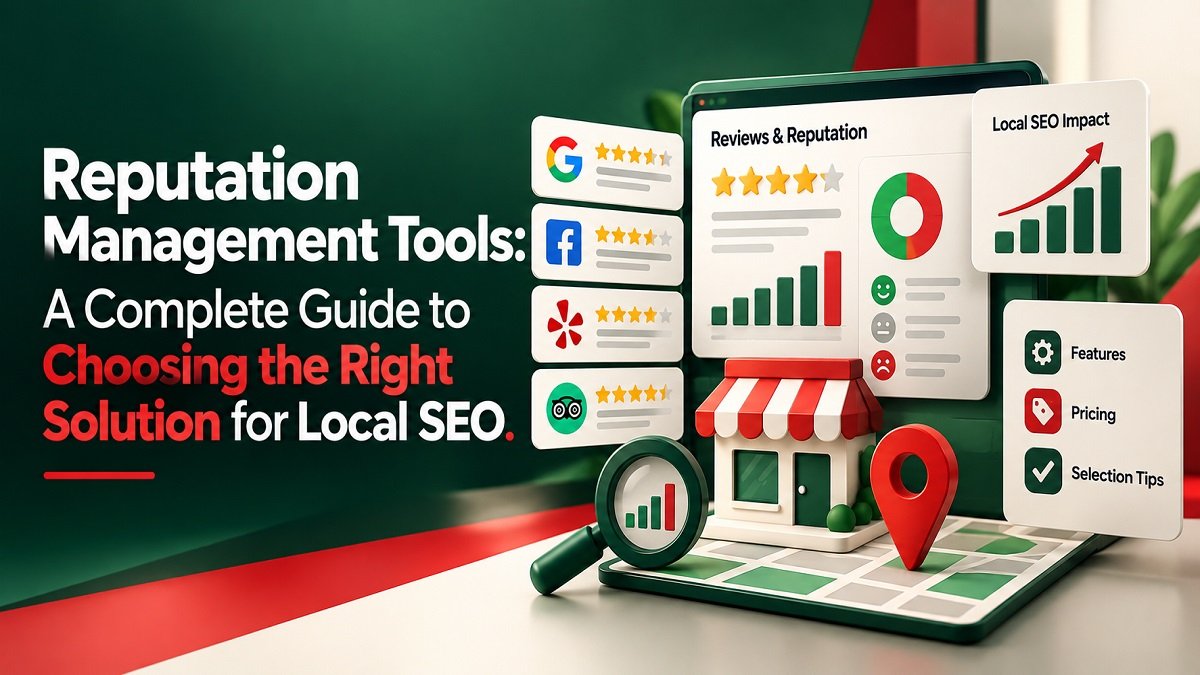
Reputation Management Tools help businesses monitor online reviews, manage customer feedback, and understand how people perceive their brands. For companies that depend on local customers, these solutions can simplify review monitoring, strengthen customer communication, and support a more effective local SEO strategy. Choosing the right platform also helps businesses identify service problems before they affect customer trust.
Before contacting a company, potential customers often compare reviews, check business listings, and evaluate how a business responds to feedback. A company with accurate information and thoughtful responses may inspire more confidence than a competitor whose reviews remain unanswered. This makes online reputation an important part of the customer decision-making process.
Managing feedback manually becomes challenging as a business grows. Reviews may appear on Google, Facebook, industry directories, and other websites. Reputation Management Tools bring many of these activities into a more organized workflow, helping business owners save time while maintaining a consistent online presence.
This guide explains how these platforms work, which features matter most, how popular solutions differ, and what businesses should consider before investing in reputation management software.
What Are Reputation Management Tools?
Reputation Management Tools are software solutions designed to help businesses monitor, organize, and analyze their online reputation. Depending on the provider, they may include review monitoring, response management, customer feedback reporting, business listing management, and automated notifications.
Some platforms focus primarily on customer reviews, while others combine reputation monitoring with local marketing, customer messaging, and analytics. The right choice depends on your business size, industry, budget, and operational requirements.
For example, a dental practice might receive reviews on Google while customers also leave feedback on healthcare directories. Checking every website separately can consume valuable time. A centralized platform makes it easier to identify new reviews, respond to concerns, and maintain a consistent process.
Small businesses may need only basic review monitoring. Marketing agencies and companies with several locations may require advanced reporting, team permissions, and location-specific performance comparisons.
Why Reputation Management Matters for Local SEO
Local SEO helps businesses become more visible to people searching for nearby products and services. Search visibility depends on factors such as relevance, distance, and prominence. Accurate business information helps customers and search engines understand what a company offers and where it operates.
Customer reviews also influence how people evaluate businesses in local search results. Someone looking for a nearby restaurant, plumber, or accounting firm may compare several options before deciding which one to contact. Recent reviews, useful responses, and consistent business details can help customers make informed decisions.
Reputation Management Tools support this process by helping businesses monitor feedback, identify listing inconsistencies, and maintain organized review workflows. These activities can contribute to a stronger local presence, although no software can guarantee higher Google rankings.
Businesses should also understand that reputation management and search optimization are related but distinct activities. Collecting more reviews does not automatically move a business to the top of local results. The objective is to improve customer trust, maintain accurate information, and deliver a better overall experience.
Essential Features to Look For
Not every business needs a complex platform with dozens of features. Focus on capabilities that solve genuine problems and make everyday tasks easier.
1. Centralized Review Monitoring
A centralized dashboard allows businesses to monitor reviews from supported websites in one place. Instead of checking several platforms individually, team members can identify new feedback and prioritize responses more efficiently.
Before selecting a solution, confirm which review websites it supports. Some platforms cover major services but provide limited monitoring for industry-specific directories. Reputation Management Tools are most useful when they cover the channels that matter to your customers.
2. Review Response Management
Responding to reviews demonstrates that a business values customer experiences. Look for features that organize unanswered reviews, assign responsibilities, and simplify the response process.
Templates can help teams work efficiently, but responses should still address each customer's specific experience. A personalized reply feels more authentic than a generic message repeated across multiple reviews.
Businesses should also establish guidelines for handling negative feedback. Acknowledge the customer's concern, remain professional, and explain the next step when appropriate. Avoid disclosing private information in public responses.
3. Business Listing Management
Outdated addresses, incorrect phone numbers, and inconsistent opening hours can confuse potential customers. Listing management features help businesses review and update information across supported directories.
This capability is especially useful for companies operating in multiple locations. A coordinated system can reduce inconsistencies and make it easier to maintain accurate details when a branch changes its hours or contact information.
For businesses focused on local SEO, accurate listings should be a priority regardless of the software they choose.
4. Reporting and Sentiment Analysis
Reporting features turn customer feedback into information that businesses can use. Depending on the platform, reports may include review volume, average ratings, response activity, and recurring customer concerns.
Sentiment analysis can identify patterns in customer comments, such as repeated praise for friendly staff or complaints about delayed appointments. However, automated analysis may misunderstand sarcasm or context, so important findings should be checked against the original reviews.
5. Multi-Location Management
Businesses with several branches need to understand how each location performs. Look for location-level reporting, team permissions, and workflows that help individual branches manage feedback while following consistent brand standards.
A small business with one location may not need these advanced features. Consider your current requirements and expected growth before paying for additional functionality.
How to Choose the Right Solution
Choosing software becomes easier when you evaluate your needs before comparing providers.
Identify your biggest challenge. If you frequently miss new reviews, prioritize monitoring and notifications. If business details are inconsistent, focus on listing management. If customer feedback is scattered across several branches, look for centralized reporting.
Check platform coverage. Make sure the software supports the review websites your customers actually use. A long list of integrations is not particularly valuable if the important platforms for your industry are missing.
Evaluate ease of use. Your team should be able to find reviews, prepare responses, and access reports without extensive training. A complicated dashboard can reduce adoption and make routine tasks unnecessarily difficult.
Compare the total cost. Some providers charge per location, while others limit users, integrations, or features by subscription tier. Review the pricing structure carefully and ask about additional charges before committing.
Test real workflows. If a free trial or demonstration is available, use it to monitor a review, prepare a response, update a listing, and generate a report. This practical assessment can reveal whether the software fits your team's working habits.
Review privacy and access controls. Understand how customer information is handled and who can access the account. Role-based permissions are especially important when several employees or external marketing partners manage customer feedback.
When comparing Reputation Management Tools, prioritize practical value over the number of features advertised. A suitable platform should make essential tasks easier, provide useful insights, and fit your budget.
Popular Platforms Worth Comparing
Different providers serve different business needs. The following options offer a starting point for research rather than a universal ranking.
-
BrightLocal: Worth evaluating for local search reporting, citation management, and reputation-related workflows.
-
Birdeye: Offers a broader customer experience platform with reputation management and communication capabilities.
-
Podium: Focuses on customer communication and review-related workflows, making it worth exploring for service businesses.
-
GatherUp: Provides review generation and customer feedback capabilities for businesses and agencies.
-
Google Business Profile: A useful starting point for maintaining a Google business presence, responding to Google reviews, and updating profile information.
Features, pricing, integrations, and availability can change. Check each provider's current offering before making a decision.
A single-location business may find a straightforward solution sufficient, while agencies and larger companies may benefit from advanced reporting and multi-location controls. The best platform is the one that supports your workflow without introducing unnecessary complexity.
Turning Customer Feedback Into Action
Collecting reviews is only the beginning. Businesses need to understand what customers are saying and make practical improvements when recurring issues appear.
Imagine a home services company receives several complaints about technicians arriving late. Management can review its scheduling process, improve appointment reminders, and communicate delays more clearly. If customers consistently praise technicians for explaining repairs in simple language, the business can reinforce that strength through staff training.
Reputation Management Tools can help identify recurring themes and organize feedback so teams can address problems systematically. Rather than treating every review as an isolated comment, businesses can use customer insights to improve service delivery.
A practical workflow involves four steps:
-
Monitor: Check incoming reviews regularly and identify urgent concerns.
-
Respond: Acknowledge feedback professionally and address specific issues.
-
Analyze: Look for recurring complaints, positive themes, and differences between locations.
-
Improve: Assign responsibility for changes and measure whether those changes help.
Businesses should request honest customer feedback without pressuring people to leave positive reviews. Avoid incentives or review practices that violate the relevant platform's policies. Genuine feedback provides more useful insights than attempts to manipulate ratings.
Measuring Performance and Business Impact
The right metrics depend on your goals. Review volume alone cannot show whether customers are receiving better service or whether your marketing activities are producing meaningful results.
Consider tracking these indicators:
-
Review response rate: The percentage of reviews receiving a response.
-
Response time: How quickly the business acknowledges customer feedback.
-
Rating trends: Changes in average ratings, interpreted alongside review volume and context.
-
Feedback themes: Recurring complaints and positive experiences across customer reviews.
-
Listing accuracy: Whether business details remain consistent across supported platforms.
-
Customer enquiries: Calls, bookings, website visits, or other relevant actions associated with local search.
Reputation Management Tools can make these measurements easier to organize, depending on the platform's reporting capabilities. However, businesses should interpret the data carefully instead of assuming that every change has one cause.
For example, an increase in enquiries could result from seasonal demand, advertising, improved visibility, or several factors working together. Review performance alongside other business indicators to understand the wider picture.
A monthly review can help teams identify priorities, assign corrective actions, and decide whether their current software continues to provide value.
Common Mistakes to Avoid
One frequent mistake is treating review management as a numbers game. Collecting more reviews will not solve recurring service problems. Businesses should investigate legitimate concerns and improve the experiences behind their ratings.
Another mistake is using identical responses for every customer. Templates can save time, but each reply should acknowledge the actual feedback and avoid promises the business cannot keep.
Ignoring negative reviews can also undermine customer confidence. A calm, helpful response shows that the business is willing to listen. If a complaint involves sensitive information, move the conversation to an appropriate private channel.
Businesses should also avoid choosing software solely because it offers the largest feature list. An expensive platform may include capabilities the team never uses, while a cheaper product may lack essential integrations. Select a solution based on practical needs, expected benefits, and available resources.
Finally, do not treat software as a substitute for customer service. Technology can organize feedback, but employees still need to understand customer concerns and take meaningful action.
Creating a Sustainable Reputation Management Workflow
An effective process begins by identifying the platforms where customers leave feedback. Assign responsibility for monitoring reviews and establish a realistic response schedule so that important concerns do not go unnoticed.
Next, correct inaccurate listings and create practical guidelines for responding to positive and negative feedback. Review recurring comments regularly and share relevant findings with employees who can improve the customer experience.
As the business grows, consider whether additional automation, reporting, or location management would save time. Reputation Management Tools should support your operations rather than make them unnecessarily complicated.
The goal is to connect customer feedback with better service, reliable business information, and a consistent customer experience. With a clear process and the right software, businesses can manage their online reputation more effectively while supporting their wider local marketing strategy.
FAQs
1. What are Reputation Management Tools used for?
They help businesses monitor online reviews, organize responses, analyze customer feedback, and, depending on the platform, manage business listings and reputation reports.
2. Can reputation management software improve local SEO?
It can support local SEO by helping businesses maintain accurate listings, monitor reviews, and understand customer feedback. However, no software can guarantee higher search rankings.
3. Are these tools necessary for small businesses?
Not always. Businesses with few reviews may manage feedback manually. Software becomes more useful as review volume, platform coverage, or the number of locations increases.
4. How much do reputation management platforms cost?
Pricing varies by provider, features, and business size. Compare subscription costs, location limits, integrations, and expected time savings before choosing a plan.
Turning Reputation Insights Into Sustainable Growth
Choosing the right solution starts with understanding your business needs. Compare relevant features, test practical workflows, and measure whether the software saves time or improves customer feedback management. A consistent process can help businesses build trust, make better service decisions, and support a more effective local search strategy.